The best AI tools for students with dyscalculia help a student see and say the math: Khanmigo for practice one hint at a time, Snorkl to explain a solution aloud, Read&Write to hear a word problem, Diffit to simplify its wording, and the free Polypad and Desmos for number lines and graphs. None of them treats dyscalculia, and none of the 138 tools in our directory says it was built for it.
Which AI tools fit a student with dyscalculia, side by side?
Six tools, six jobs. Prices and conditions were checked at the vendors' own pages on November 3, 2026, unless a row says otherwise.
| Tool | The job it does | Best for | Price (checked November 3, 2026) | Privacy note |
|---|---|---|---|---|
| Khanmigo | Guides a student toward an answer without stating it | Practice after the teacher has taught the idea | Free for US teachers; $4 a month or $44 a year for learners and families; districts by quote | Vendor says district partners may not train models on student data; individual users must be 18 or older |
| Snorkl | Records a spoken, drawn explanation and returns AI feedback | A student who understands more than notation lets them show | Free teacher plan with limited activities; school plan priced by quote | Vendor says COPPA and FERPA approved; keeps recordings while the account exists |
| Read&Write | Reads text aloud and reads text out of images and scanned PDFs | A student who is stopped by the sentence around the numbers | Free for K-12 teachers; school plans from $2.75 a seat | Vendor lists COPPA, FERPA, GDPR, ISO/IEC 27001 and SOPPA |
| Diffit | Rewrites a text at a chosen reading level, with scaffolds | A teacher preparing word problems in plainer language | Free Basic plan with limits; school plan priced by enrollment | Vendor says it collects no student data; teacher-side only |
| Polypad (not in our directory) | Virtual manipulatives such as fraction bars and a balance scale | Making a quantity visible before the symbols | Free; no login needed | Students 13 and older sign up alone; younger students join through a teacher's class |
| Desmos (not in our directory) | Graphing calculator with read-aloud and audio trace | Older students working with graphs and equations | Calculators free to teachers and students | We could not read its terms or privacy pages this run |
Which question should decide the choice?
Four questions sort the six. This is our editorial view, not a vendor claim.
- Where does the math break for this student? At the words (Read&Write, Diffit), at the picture of the quantity (Polypad, Desmos), at practice (Khanmigo), or at explaining (Snorkl). A student rarely needs all four.
- Does the tool put the quantity on the screen, or only the answer? A number line, a bar or a block shows what 3/4 is. A solver that returns "0.75" shows nothing. Prefer the first kind.
- Who owns the account and the recordings? Khanmigo and Snorkl need a school or family decision before a student uses them. Diffit and Polypad can start with a teacher alone. Run the district's data check from our guide to AI tools a school can approve first.
- Who decides it is an accommodation? The IEP or 504 team does. A tool a teacher offers the whole class is one thing; a tool written into a plan is another.
What does the research say about dyscalculia and technology?
Dyscalculia is the name many people use for a specific learning disability in math. An August 2026 policy brief from the Center on Reinventing Public Education calls it "a specific learning disability that makes it very challenging to understand numbers and learn math," and cites estimates that it affects 3 to 8 percent of school-age children (Kurz and Campbell, CRPE). The New Jersey Department of Education describes it as a learning disability that affects how students learn, understand and remember math (New Jersey DOE). Federal law has no category called dyscalculia; the IDEA regulation lists "mathematics calculation" and "mathematics problem solving" as areas where a specific learning disability can be found (34 CFR 300.309).
What works is not new. The What Works Clearinghouse practice guide for the elementary grades lists six recommendations: systematic instruction, mathematical language, representations, number lines, word problems and timed activities. The guide's summary rates every one as strong evidence (IES summary). It says concrete and semi-concrete representations make math "visible and more accessible," and the sections we read treat a screen only as one place a number line can live (IES practice guide). The tools below earn their place by serving those six, not by adding something the guide never asked for.
The evidence on AI itself is thin. A 2025 systematic review of AI interventions for students with learning disabilities found 11 studies and 3,033 participants. Only one study was about math: 1,006 students, 246 of them with math learning disabilities identified by bottom-quartile performance rather than a diagnosis. No study targeted dyscalculia, none was rated low risk of bias, and the authors asked for randomized trials (Paglialunga and Melogno, Brain Sciences). The CRPE brief concludes that "technology should not be positioned as a substitute for specialist-delivered instruction." Teachers say something similar from the classroom: an Illinois high school teacher told Education Week that "generally, it seems that AI is really bad at solving math problems" (Education Week, March 2025). That is a teacher's survey comment, not a study.
Federal law sets the frame for tools. The IEP team must "consider whether the child needs assistive technology devices and services" (34 CFR 300.324). A free app does not replace that conversation. Our posts on writing 504 plans and IEP writing cover the paperwork.
Is Khanmigo the right way to practice a problem one hint at a time?
Khanmigo is the best fit for a student who has been taught an idea and needs to practice it with a patient partner, because the vendor says "Unlike ChatGPT, Khanmigo never gives the answer" (Khanmigo). The learner page adds that it has both text to speech and speech to text, and that it reads its responses aloud (Khanmigo).
Our directory rating is 4.4 from 5 reviews, and it carries an independent 9ine security assessment on record. The pages we read describe guidance in general. They do not name math or dyscalculia.
Watch out for: Access is the catch. Khan Academy's help center says "Individual users must be at least 18 years old," and "Outside of these scenarios, users under 18 are not eligible to use Khanmigo." The scenarios are a district partnership, a parent-linked child account, or a teacher-assigned writing coach essay (Khan Academy help). A teacher cannot simply hand the link to a student.
Pricing: Free for teachers in the United States; $4 a month or $44 a year for learners and families; district pricing by request (Khanmigo pricing, checked November 3, 2026). The free teacher plan is US-only, per the help center.
Safety: For district partnerships the vendor says "Khan Academy does not allow large language models (LLMs) to train their models using student data," and that names and personal information are not shared with model providers (Khan Academy help). It also says chat history is visible to parents and, where one is connected, to the teacher, and that flagged chats alert an adult (Khan Academy help). A separate product, Khanmigo Lite, says chats may be used to improve OpenAI's models unless the user opts out (privacy notice). We could not read Khan Academy's terms or privacy policy, so its COPPA position is unverified. That is the vendor's account of its own safeguards; ask your district for the data agreement.
Choose something else if the student is under 18 and the district has no Khan Academy partnership. Snorkl or Read&Write start with the school.
Can Snorkl let a student explain a problem instead of writing it out?
Snorkl is the best fit for a student who understands more than written notation lets them show, because students record their thinking by voice, drawing and text and get AI feedback (Snorkl help). The help page's own example is a student solving a math problem step by step while explaining each move.
Our directory rating is 4.75 from 12 reviews, with a 9ine assessment on record. The page states no grade range; teacher testimonials mention 3rd grade, 5th grade and high school math.
Watch out for: Snorkl assesses the explanation. A student with dyscalculia may be unable to produce the calculation underneath it, and feedback on the story does not build the number fact. Pair it with a visual tool and the teacher's own check of the arithmetic.
Pricing: The free teacher plan has unlimited classes and AI feedback with limited activities; Premium for schools and districts has no dollar price on the page (Snorkl plans, checked November 3, 2026).
Safety: The vendor says "COPPA and FERPA approved" (Snorkl). Its safety page says it removes personally identifiable student information before sending data to AI providers and that its agreements mean the data is not saved or used to train or refine future models (Snorkl safety). The privacy policy says it keeps audio and screen recordings for as long as the account exists (privacy policy). We found no minimum age and could not read the terms, so the age rule is unverified. Those are the vendor's statements; read the policy before students record.
Choose something else if the student cannot yet build the quantity. Start with Polypad below.
Does Read&Write make a word problem readable?
Read&Write is the best fit for a student who is stopped by the sentence around the numbers, because it reads words, paragraphs or whole documents aloud with highlighting, and Screenshot Reader pulls text out of images and scanned PDFs (Everway). A scanned worksheet becomes something the student can hear.
Texthelp, the original maker, now sits under the Everway name. Our directory rating is 4.5 from 2 reviews, and it holds a 9ine assessment on record.
Watch out for: Math is not what it does. The vendor says Read&Write "works alongside OrbitNote for PDF annotation and Equatio for accessible math," so equations belong to a separate product, and we found no statement that Read&Write reads an equation aloud. The page also states no student free tier.
Pricing: Free for K-12 teachers. The pricing page lists K-12 group at $18.30 a seat with a 150-seat minimum, K-12 district at $2.75 a seat with a minimum purchase, and an individual license at $184 a year, all per year (Everway pricing, checked November 3, 2026). The product page says "from $2.75 per seat" with an asterisk we could not read, so confirm the figure for your school.
Safety: The vendor lists COPPA, FERPA, GDPR, ISO/IEC 27001 and SOPPA (Everway). Its trust center names no specific laws, and we could not retrieve the privacy notices. Whether student data trains AI is unverified. Ask your district for its data agreement.
Choose something else if the student needs equations read aloud. Look at Equatio or the Microsoft tools covered below.
Will Diffit rewrite a word problem in plainer language?
Diffit is the best fit for a teacher whose student can do the math but loses the thread of the sentence, because it rewrites a text at a chosen level and adds scaffolds in seconds (Diffit). It is built for the teacher: the homepage says "No student logins, no student AI."
Our directory rating is 4.2 from 5 reviews. It has no 9ine assessment on record. We could not confirm that Diffit handles math word problems as opposed to reading passages: its pages link a "Diffit for Math" page that we did not read.
Watch out for: It changes the words, not the quantities. After any rewrite, check by hand that every number, unit and question survived, and that "fewer than" did not become "less than."
Pricing: Basic is free with limits; the page names one, that content made in the last 90 days stays accessible. Schools pay a flat annual rate tiered by enrollment, and we found no dollar amounts (Diffit pricing, checked November 3, 2026).
Safety: The vendor says "Diffit does not collect ANY student data" and describes itself as FERPA and COPPA compliant, linking to data privacy agreements (Diffit privacy). That is the vendor's claim, not ours. We found no statement on whether teacher inputs train models, and no minimum age, so both are unverified.
Choose something else if the barrier is the picture, not the language. Polypad shows the quantity.
What can Polypad do that no AI tool here does?
Polypad is the best fit for a teacher who wants a student to see a quantity before meeting the symbols, because its home page offers fraction bars, a balance scale, number cubes and other digital manipulatives, free and with no login (Polypad). This is the job the practice guide rates as strong. Polypad is not AI. We found no AI feature on its pages, and it is not in our directory.
Watch out for: The pages we read name fraction bars and a balance scale but not number lines or base-ten blocks, so check the toolbar for the manipulative your lesson needs. Students need an account to save work. Students 13 and older can sign up alone; under-13 students must join a teacher's class (Polypad help).
Pricing: Free (Polypad help, checked November 3, 2026).
Safety: We did not read Polypad's privacy policy this run, so its data practices are unverified. Amplify, the owner, runs the district-facing Amplify Classroom; ask whether your district has an agreement covering Polypad.
Choose something else if the student already has the picture and needs practice. Use Khanmigo.
Is Desmos useful for a student with dyscalculia?
Desmos is the best fit for an older student whose graphs and equations have become the barrier, because the calculator reads expressions aloud and offers an audio trace that lets users explore an equation through sound (Desmos help). The calculators remain free to teachers and students, according to Amplify's announcement when it acquired the Desmos curriculum (Amplify). Desmos Classroom is now called Amplify Classroom, and teachers can make a free account (Amplify).
Watch out for: Those accessibility features were built for blind and low-vision students. They may also help a student with dyscalculia, but we found no source that says so. We found no AI feature on the pages we read, and Desmos is not in our directory.
Pricing: Calculators free; Amplify Classroom lessons free for teachers, with paid programs for schools (Amplify, checked November 3, 2026).
Safety: The Desmos terms and privacy pages did not load for us, so age rules and data practices are unverified. Check them before students create accounts.
Choose something else if the student is in the early grades. Polypad's manipulatives are the better start.
What about the tools a student already has?
Microsoft says Immersive Reader is free inside Microsoft 365 apps (Microsoft). A 2022 Microsoft post said students could use it to hear an equation and its solution steps read aloud in OneNote's Math Assistant (Microsoft Education blog). We could not confirm that feature still exists, so test it on your own tenant. Microsoft Math Solver, the standalone app, was discontinued on July 7, 2025 according to a Microsoft support answer (Microsoft Q&A), so any older list that recommends it is out of date.
Where does our directory fall short on dyscalculia?
We scanned the names, descriptions and feature lists of all 138 tools in the aieducator.tools directory on November 3, 2026. Not one mentions dyscalculia, number sense, manipulatives or number lines. One, Matheculator, mentions word problems. Thirty-two tools are tagged for mathematics, and only four of those mention struggling students, accommodations, special education or dyslexia in any form. Five tools in the whole directory mention dyslexia.
That gap is the original observation here: the market has built many tools that check a student's answer and almost none that build the student's sense of the quantity. It also means our picks are general tools used for a specific job. The AI matters at the edges, reading, rewording and listening. The core of the work, the number line and the block, is older and mostly not AI.
We left out Matheculator because the pricing page we read lists plans for GMAT test prep, and we found no minimum age on its pages, though our directory lists it for secondary students and adults. We left out ChatGPT, Claude and Gemini because none is built for this job and we did not check their current plans this run.
What does a worked example look like in a Grade 5 fractions lesson?
This is a plan, not a result: no one has run it for this post. The student has a specific learning disability in math documented in an IEP. The task is deciding which is greater, 3/4 or 2/3.
- Check the plan. Confirm the IEP lists the tools you plan to use. If it does not, ask the team to consider assistive technology under the provision above.
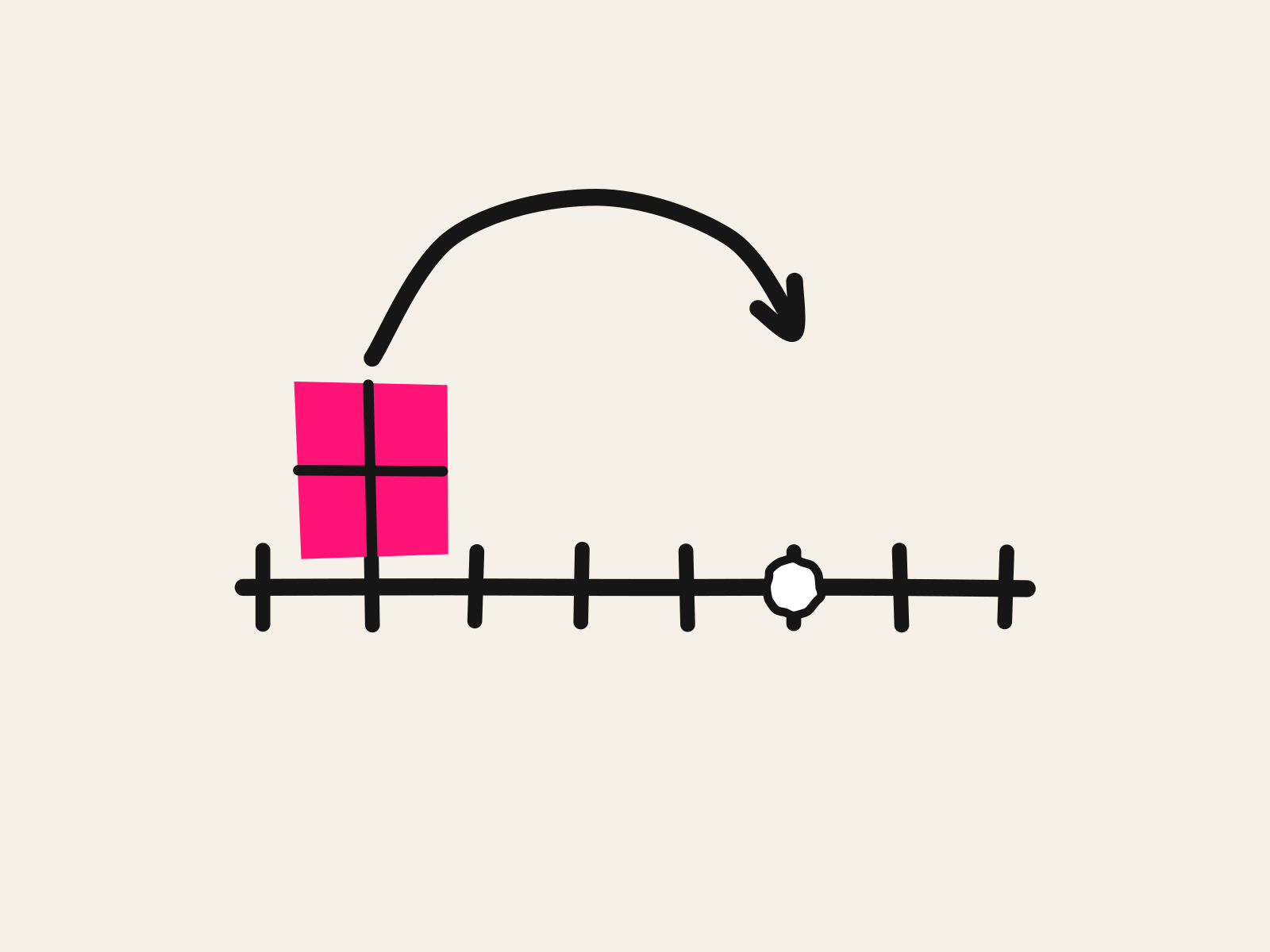
- Show it before saying it. Start with real fraction strips if you have them. Then open Polypad's fraction bars and let the student line up 3/4 beside 2/3. This is the concrete-to-visual step the practice guide rates as strong.
- Fix the sentence. Run the word problem through Diffit if its wording is the barrier, and check by hand that the numbers survived. Let Read&Write read it aloud.
- Say it. The student records a spoken explanation of which bar is longer and why, in Snorkl or on a phone.
- Practice. If the district has a Khanmigo partnership, assign three similar comparisons and read the chat history the next day.
- Grade the reasoning. Score whether the student can say why 3/4 is greater. Note any fact the student still cannot produce, and bring that to the team along with a handwritten sample.
What is the short answer?
Start with the picture, not the app. Use Polypad or physical strips to show the quantity, add Read&Write or Diffit if the words are in the way, let Snorkl hear the explanation, and use Khanmigo for practice only where the district has a partnership or a parent has linked an account. Keep the specialist teaching and the IEP team in the loop; none of these is a substitute for either. For related needs, see our posts on AI tools for students with dyslexia, ADHD, dysgraphia, intervention teachers and math teachers. Browse the special education and accessibility tools in the directory for more.
Dan Fitzpatrick is the founder of The AI Educator and AI Educator Tools. Prices and conditions were checked on November 3, 2026; vendors change them often.